The Best Lawn Care Software App in 2026 (Reviews & Features)
In the landscaping industry, the office is an illusion.
Sure, you might have a physical desk where you do payroll on Friday afternoons, but the actual business—the revenue generation—happens in the driver’s seat of an F-250, on the deck of a zero-turn mower, and walking a client's property.
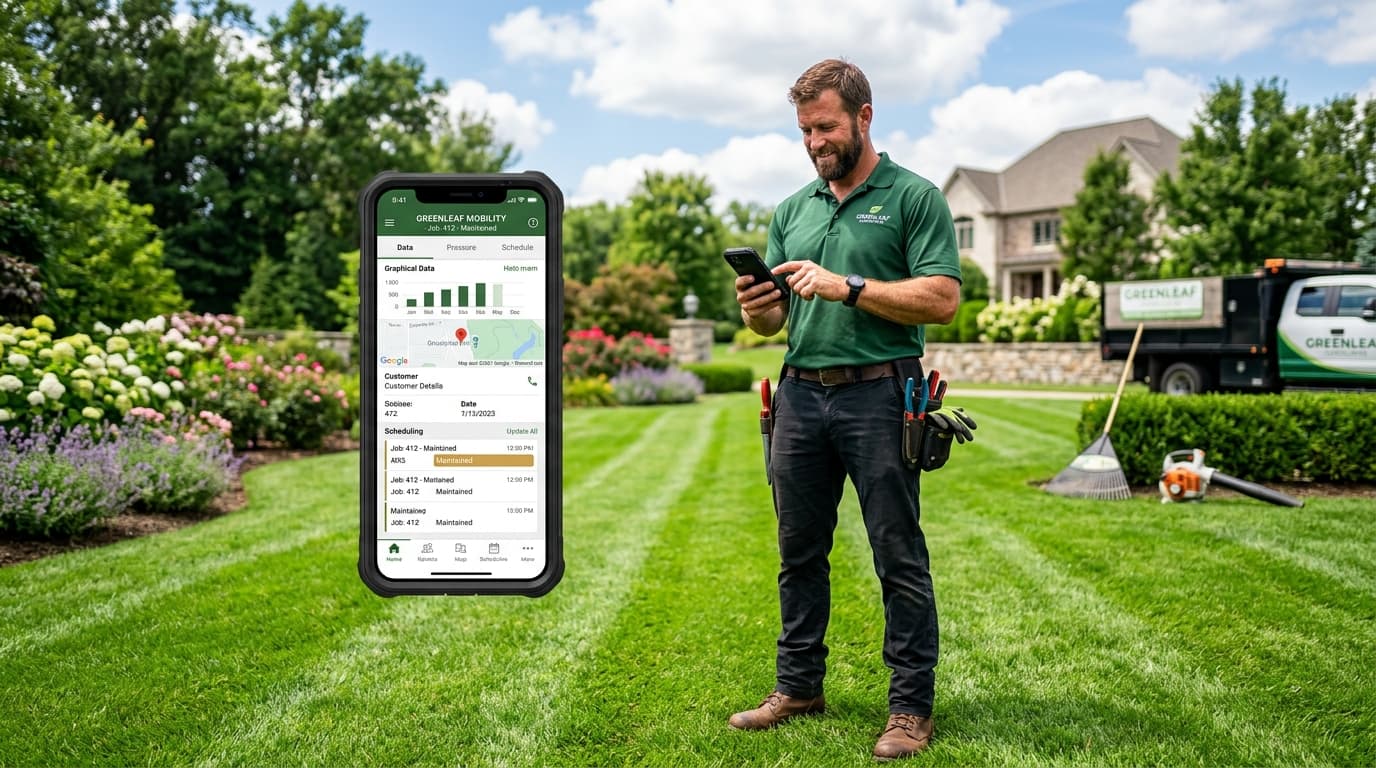
Because of this, the desktop version of your software doesn't matter nearly as much as the lawn care software app that your crews carry in their pockets every single day.
If your mobile app is clunky, slow, or requires a strong cell signal to function, your crews won't use it. If they don't use it, jobs won't get marked as complete. If jobs don't get marked as complete, invoices don't get sent. If invoices don't get sent, you don't get paid.
In this guide, we are reviewing the absolute must-have features for any landscaping mobile app in 2026, and exploring why native, lightning-fast mobile experiences have become the defining factor in choosing the best lawn care software.
Why the App is More Important Than the Dashboard
A decade ago, landscaping software was built for a receptionist sitting at a desktop computer in an air-conditioned office. The "mobile app" was usually just a web browser squeezed onto a smaller screen, bolted on as an afterthought.
Today, the entire paradigm has shifted. The best lawn care software is built mobile-first.
Think about your daily workflow.
- The Owner: You are out doing estimates, talking to clients, and checking on job sites. You need to be able to instantly generate a quote and email it to a client while standing on their front lawn.
- The Crew Leader: They are responsible for driving the route, tracking time, and ensuring the quality of the work. They need an app that tells them exactly where to go next and gives them all the property notes instantly.
- The Laborers: They just need to know what they are supposed to be doing right now.
If your software requires anyone to open a laptop or use a clunky web browser, you are bleeding time and money.
The 4 Non-Negotiable Features of a Lawn Care App
When you are reading lawn care software reviews, pay close attention to what other users say about the mobile experience. A software platform might look incredible on a 27-inch monitor during a sales demo, but fail miserably on a 6-inch smartphone screen in the glaring sun.
Here are the four features your app must have in 2026.
1. One-Click Routing and Navigation
When your crew leader gets into the truck in the morning, they shouldn't have to decipher a printed route sheet or type addresses manually into Google Maps.
The app should display a beautifully optimized, ordered list of the day's stops. Next to every stop, there should be a prominent "Navigate" button. One tap should instantly open Apple Maps, Google Maps, or Waze with turn-by-turn directions to the property.
Every time a crew member has to manually type an address, you risk typos, getting lost, and wasted unbillable time.
2. Dead-Simple Job Tracking (Start / Complete)
Landscaping is exhausting, physical labor. When your guys finish weed-eating a property in 95-degree heat, the last thing they want to do is navigate through a complex software menu with drop-downs and text fields just to record that they finished the job.
The best lawn care software apps use massive, color-coded buttons.
- Arrive at the property? Tap the giant green START JOB button.
- Finished the property? Tap the giant red COMPLETE JOB button.
This simplicity ensures 100% adoption from your crews. If you make it easy for them to track their work, they will actually do it.
3. Integrated Client Communication
Your crews are your eyes and ears in the field. They notice things that you don't.
- "The dog chewed up a sprinkler head in the back corner."
- "The lawn is suffering from grubs."
A modern mobile app should allow the crew leader to snap a photo of the issue directly within the app and either leave an internal note for the office, or automatically trigger an email to the client with a quote to fix it.
Furthermore, the app should handle automated client reminders. The software should recognize when a job is scheduled for tomorrow and automatically text the homeowner to leave the gate unlocked, entirely eliminating "no-shows."
4. Offline Mode (Or Extreme Resilience)
You don't always have 5G cell service. When you are deep in a suburban neighborhood or out on a rural acreage, the signal can drop.
If your app relies entirely on a constant internet connection to function, your crews will get stranded. The app must be able to cache the day's route locally on the device. If a crew clicks "Complete Job" while they have no service, the app should save that action and automatically sync it back to the server the moment they drive back into cell range.
Reviewing the Top Options: Who Has the Best App?
If you spend any time reading lawn care software reviews on sites like Capterra or G2, you will notice a stark divide between older, legacy systems and modern, cloud-native platforms.
Legacy Systems (The "Desktop-First" Era)
Many of the older giants in the industry (which we won't name explicitly here, but you know who they are) suffer from "technical debt." Because they built their massive, complex platforms in 2010, trying to force all of that complexity into a modern iPhone app is incredibly difficult.
Reviews for these legacy apps often complain about constant crashing, slow load times, and screens that are cluttered with too much information. When a crew leader has to squint and scroll horizontally just to read the property notes, the software has failed.
Modern Platforms (The "Mobile-First" Era)
The new wave of software—platforms like YardStak—were built in the mobile era.
YardStak’s mobile app is widely considered the cleanest in the industry because it aggressively hides unnecessary information. When a crew member opens the app, they don't see your financial reports, your marketing campaigns, or your settings menu. They see exactly what they need to see: The Route.
This laser-focus on user experience is why modern apps boast near 100% adoption rates among field crews, compared to the 50-60% adoption rates of legacy systems.
Why YardStak is the Best Lawn Care Software App
If you are looking for the absolute best mobile experience for your landscaping business in 2026, YardStak is the clear winner.
Here is exactly how the YardStak app transforms your daily operations:
The Morning Rollout
At 7:00 AM, your crews open the YardStak app. The powerful backend routing engine has already analyzed all the recurring jobs for the day, factored in any new one-off requests, and generated the mathematically perfect driving route.
The crew sees a clean, ordered list. They tap the first property.
At the Property
When they arrive, they tap "Start Job." The app instantly starts tracking their time on site (which is crucial for calculating your actual profit margins later).
They can view the property notes: "Beware of dog. Do not trim the rose bushes on the left side."
When the job is done, they tap "Complete."
The Magic of Auto-Billing
Because YardStak is deeply integrated with modern payment processors like Stripe, tapping "Complete" in the mobile app does more than just cross the job off a list.
If the client has a credit card on file, the simple act of the crew leader tapping "Complete" on their smartphone will instantly generate the invoice, charge the credit card, and email a paid receipt to the client.
By the time the crew drives to the next property, the money is already on its way to your bank account.
Quoting on the Go
As an owner, you will frequently get stopped by neighbors while you are working on a property. "Hey, how much would you charge to do my yard?"
With the YardStak app, you don't have to tell them you will email them a quote tonight. You pull out your phone, add them as a new client in 30 seconds, generate a quote for $65 a week, and hand them the phone. They can sign it with their finger right there on the sidewalk. You just won a new client without ever opening a laptop.
Conclusion: Empower Your Crews
The software you choose dictates the speed of your business.
If you saddle your crews with a slow, clunky, outdated app, you are throwing sand in the gears of your own operation. You will deal with missed cuts, lost time, and frustrated employees.
If you arm them with a fast, modern, mobile-first app, you empower them to work faster, communicate better, and ultimately generate more revenue for the company.
When you are reading lawn care software reviews, ignore the flashy desktop features. Look at what happens in the field.
If you are ready to experience the fastest, most reliable mobile app in the landscaping industry—and the best part, it's 100% free for your core operations—create your YardStak account today. Download the app, build a route, and see the difference for yourself.
Want to learn more about optimizing your operations? Check out our guides on How to Automate Your Lawn Care Scheduling & Billing and Free Landscaping Software vs. Paid: Which is Right for You?.